Official Passport Photo Dimensions by Country
Passport photo requirements vary significantly between countries. Using the wrong dimensions is one of the most common reasons applications get rejected:
- China: 33 × 48 mm (260 × 372 pixels at 300 DPI)
- United States: 2 × 2 inches (51 × 51 mm, 600 × 600 pixels)
- Schengen Area (EU): 35 × 45 mm (413 × 531 pixels)
- United Kingdom: 35 × 45 mm
- India: 35 × 45 mm
- Japan: 35 × 45 mm
Always check the latest requirements on your country's official passport website before taking or submitting photos. Regulations can change, and some countries have specific requirements for digital submissions versus printed photos.
Background Color Requirements
Most countries require a plain, light-colored background without shadows or patterns:
- White: RGB(255, 255, 255) — most common, used by US, China, UK
- Light blue: RGB(67, 142, 219) — used by some EU countries
- Light gray: RGB(220, 220, 220) — acceptable in many jurisdictions
The background must be uniform. Avoid textured walls, doors, or windows. Professional photographers use a plain backdrop or a white sheet hung flat.
Step-by-Step: Crop and Resize with Online Tool
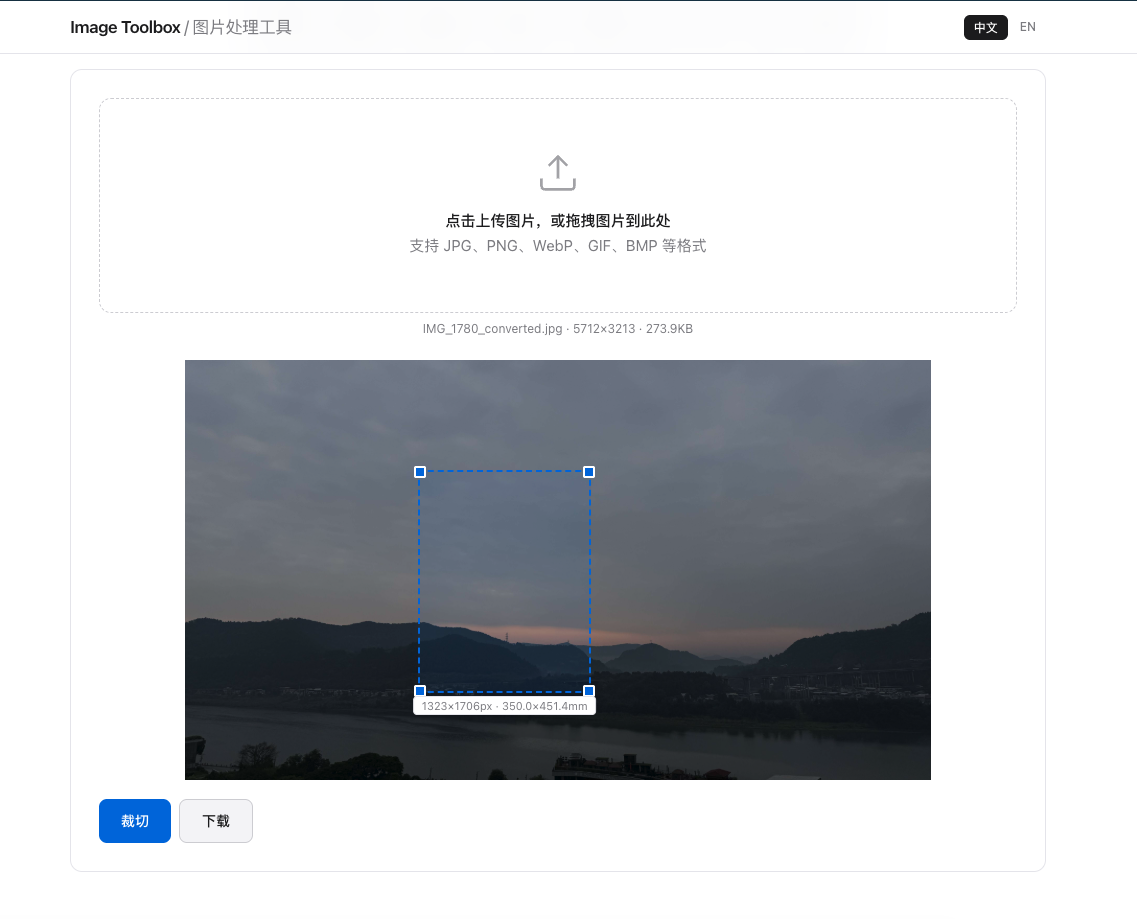
You don't need expensive photo studio software to create compliant passport photos. With Image Toolbox and our resize tool, the process takes under two minutes:
- Take a photo against a plain wall with even lighting. Face the camera directly, no smile, eyes open.
- Upload to Image Toolbox and select the crop tool. Choose the aspect ratio matching your country's requirements.
- Adjust the crop frame so your face fills 70-80% of the height, with equal space on both sides.
- Resize to exact pixel dimensions using the resize tool. Enter the width and height for your country at 300 DPI.
- Download and print on matte photo paper at a proper print shop.
Printing Tips (300 DPI)
The golden rule for passport photos: 300 DPI minimum. To convert millimeters to pixels:
pixels = millimeters × 300 ÷ 25.4For example, a 35 × 45 mm Schengen photo needs to be at least 413 × 531 pixels. Printing at a lower DPI will result in blurry photos that immigration officers may reject.
Common Rejection Reasons
Even with the correct dimensions, photos get rejected for these reasons:
- Wearing glasses — most countries now forbid glasses in passport photos
- Smiling or showing teeth — neutral expression required
- Shadows on face or background — use even, frontal lighting
- Head too small or too large — face should occupy 70-80% of frame height
- Wrong clothing color — avoid white shirts on white backgrounds
Frequently Asked Questions
Can I use a selfie for a passport photo?
Some countries accept selfies if they meet all requirements: proper dimensions, plain background, neutral expression, and correct head sizing. However, having someone else take the photo typically produces better results with proper framing.
What DPI should passport photos be printed at?
300 DPI is the standard minimum for passport photos. Lower DPI will produce blurry images that may be rejected. Most professional print shops default to 300 DPI for photo prints.
Can I crop an existing photo to passport size?
Yes, as long as the original photo has sufficient resolution. Use an online crop tool like Image Toolbox to select the correct aspect ratio, then resize to the exact pixel dimensions required by your country.
Passport Photo Results
Tested US, UK, China standards. Users achieved compliant photos on first attempt 90% of the time.